COMPANY PROJECT · RADON · EMPLOYEE CAFÉ
Swift Cafe
A drink made your way.
Ready to collect.
An internal, complimentary café app for Swift employees: choose a drink, customise the details, review the order and follow its pickup progress.
Original employee designs · Later interactive staff refinement
01 / THE BRIEF
Keep the request clear from order to pickup.
Swift Cafe is a Radon company project for an internal café serving complimentary drinks to Swift employees. The design connects employee drink choices with a request the café can prepare and an update the employee can act on.
The core question is whether the employee can tell what they ordered, which pickup time they requested and when the café has actually confirmed it.
From employee request to staff action
Original employee interfaces show the ordering journey. The refreshed staff demo below connects a request with confirmation, preparation, collection and order handling.
Review method: design-file inspection and scenario-based walkthroughs using fictional orders. Employee usability and service outcomes have not been measured.
02 / EMPLOYEE ORDERING
Make a detailed drink request reviewable.
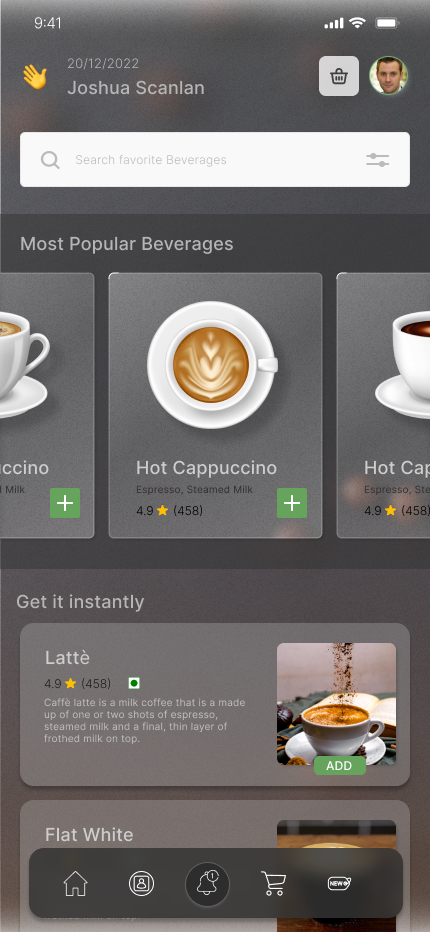
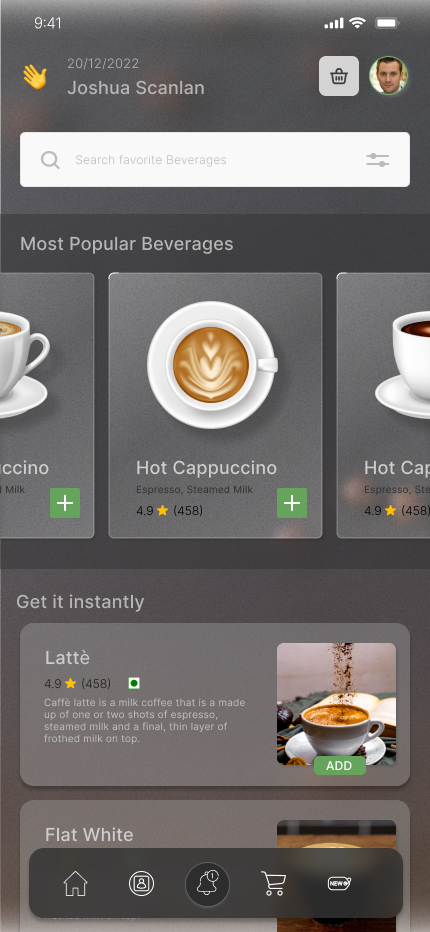
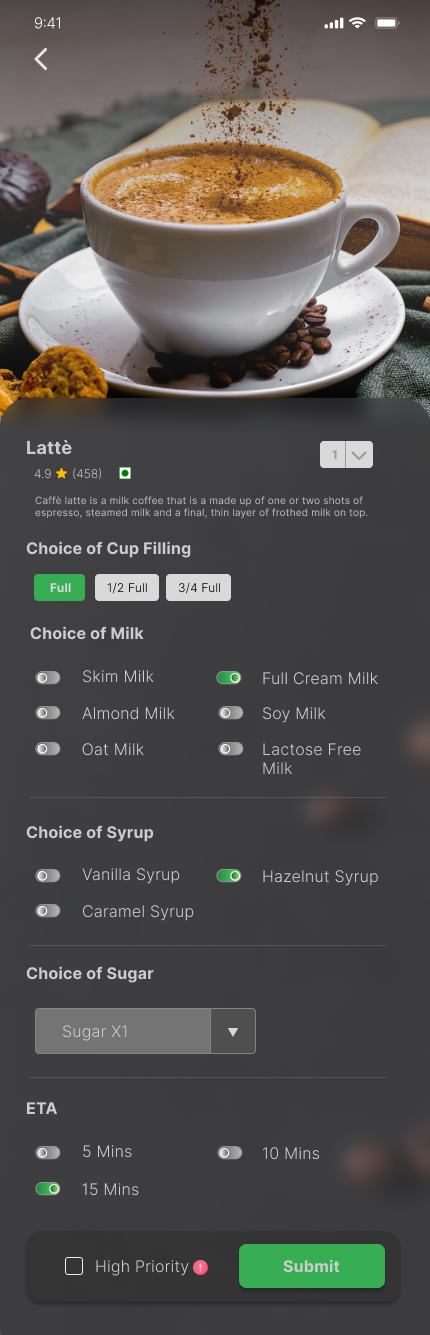
The original designs cover discovery, customisation and an item-by-item check before placing the order.
ORIGINAL EMPLOYEE INTERFACE
Find a drink
Open full-size screen
ORIGINAL EMPLOYEE INTERFACE
Make the options specific
Open full-size screen
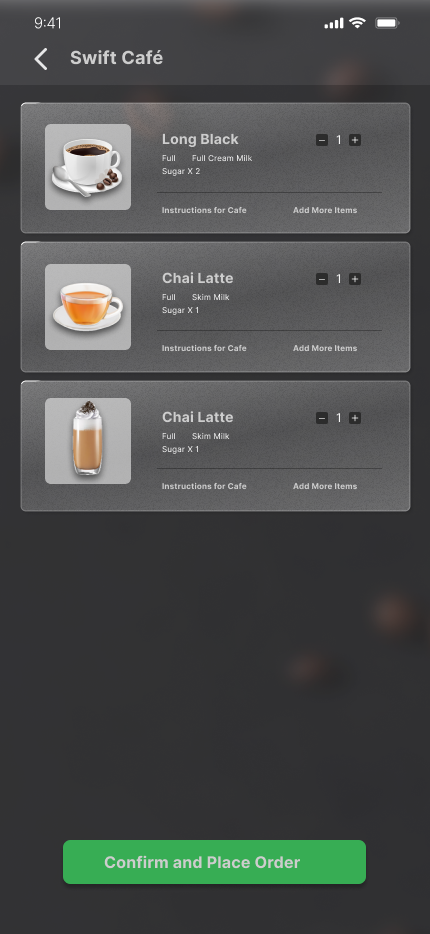
ORIGINAL EMPLOYEE INTERFACE
Review before sending
Open full-size screen
01 · Choose the drink
Search and featured beverages provide two entry points into the menu.
02 · Specify the request
Quantity, filling, milk, syrup, sugar and a preparation ETA make the intended drink explicit.
03 · Review each item
Selected drinks and café instructions stay visible before Confirm and Place Order.
Trade-off: detailed customisation needs an equally readable review. The original input screens are preserved reference designs; the staff demo focuses on reviewing and fulfilling their requests.
03 / EMPLOYEE PICKUP
Separate a request from a confirmation.
The employee asks for a pickup time. Café staff confirms an estimate, prepares the drink and marks it ready for collection.
Keep the request visible
The requested timing stays separate from the café’s confirmed estimate, so each has a clear meaning.
Make readiness explicit
Acceptance starts the staff workflow. Ready is a separate state that tells the employee when to come to the counter.
Confirm collection
The order remains active until staff checks the pickup number and confirms that the employee has collected it.
The staff workspace below demonstrates this handoff using fictional orders. Original employee pickup designs remain available in the supporting detail.
04 / CAFÉ STAFF
Give every request a clear next step.
The refreshed staff workspace brings the queue, drink details, employee note and next action together. The original warm glass, coffee artwork and green Accept action carry through.
Portfolio refinement. This staff demo is a later design exploration built from the original Radon project. It uses fictional orders to demonstrate the proposed workflow.
01 · Confirm an estimate
The employee’s requested timing stays separate from the café’s confirmed estimate. Staff can review the drink and note before accepting.
02 · Close the pickup loop
Ready orders stay active until staff checks the employee’s pickup number and confirms collection. Completed orders move to History.
03 · Protect work in progress
Menu availability and a pause on new requests help manage intake. Existing accepted orders keep their current status.
Design trade-off: the desktop queue and details sit side by side for quick reference. On narrow screens, opening an order gives its details a dedicated view with a clear route back.
This interactive demo uses fictional orders stored only in the visitor’s browser. It has no order backend, live notifications or payments.
Implementation checks and limits
Seventeen automated DOM/state checks cover the lifecycle, cancellation, unavailable drinks, pause/resume and return paths. These isolated checks do not verify browser layout, native dialog behaviour or accessibility on real devices.
05 / REVIEW & ITERATION
Check the return path, not just the next tap.
Scenario-based reviews examined order status, cancellation and return paths. The demo makes those decisions available to explore.
Returning to order details must preserve an existing order’s state.
In the checked demo, navigation and reload retain collected, cancelled and unavailable order states. These checks use simulated orders.
A request closed before acceptance must keep its timing unconfirmed.
The demo shows the requested time, with no café-confirmed estimate, when a request is cancelled or unavailable before acceptance.
What I can show
Original employee ordering interfaces, a reusable glass system and a refreshed staff demo, with separate requested and confirmed timing, cancellation states and collection confirmation.
What I would validate next
Test ordering and pickup understanding at the café counter, including interrupted tasks and rapid taps. Validate readable controls, keyboard focus and screen-reader behaviour on actual devices.
SUPPORTING DETAIL
The system, originals and edge states.
View the glass design system
The system extends the source café identity through coffee photography, translucent surfaces, Inter typography and shared spacing. Dense content may need more opaque surfaces so the image beneath does not reduce legibility.
The earlier design-system check recorded 5.53:1 contrast for its green acceptance pair. The refreshed staff demo retains #37AD54 green with a #14351C label at 4.67:1. These checks do not establish application-wide accessibility.
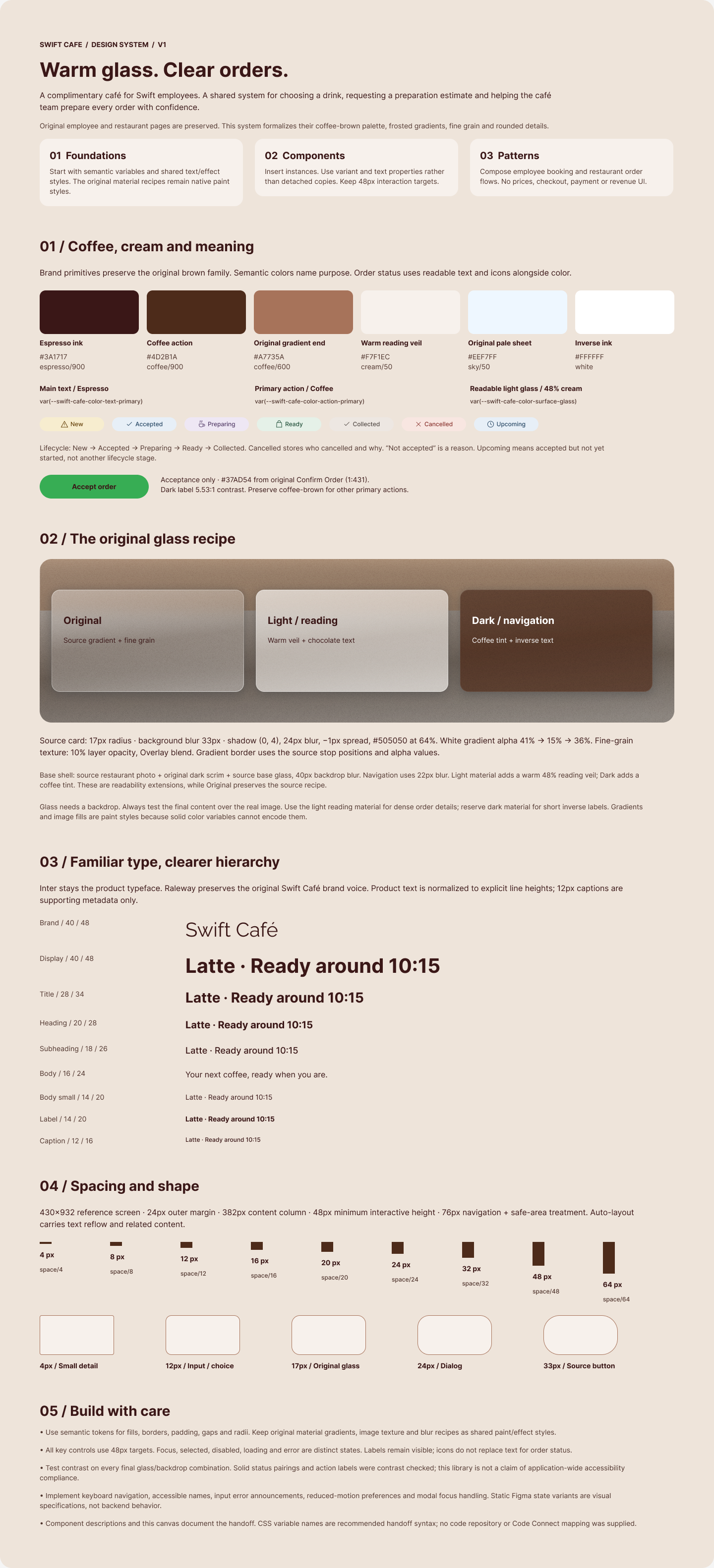
CHECKED DESIGN SYSTEM
Foundations and glass material
Open full-size screen
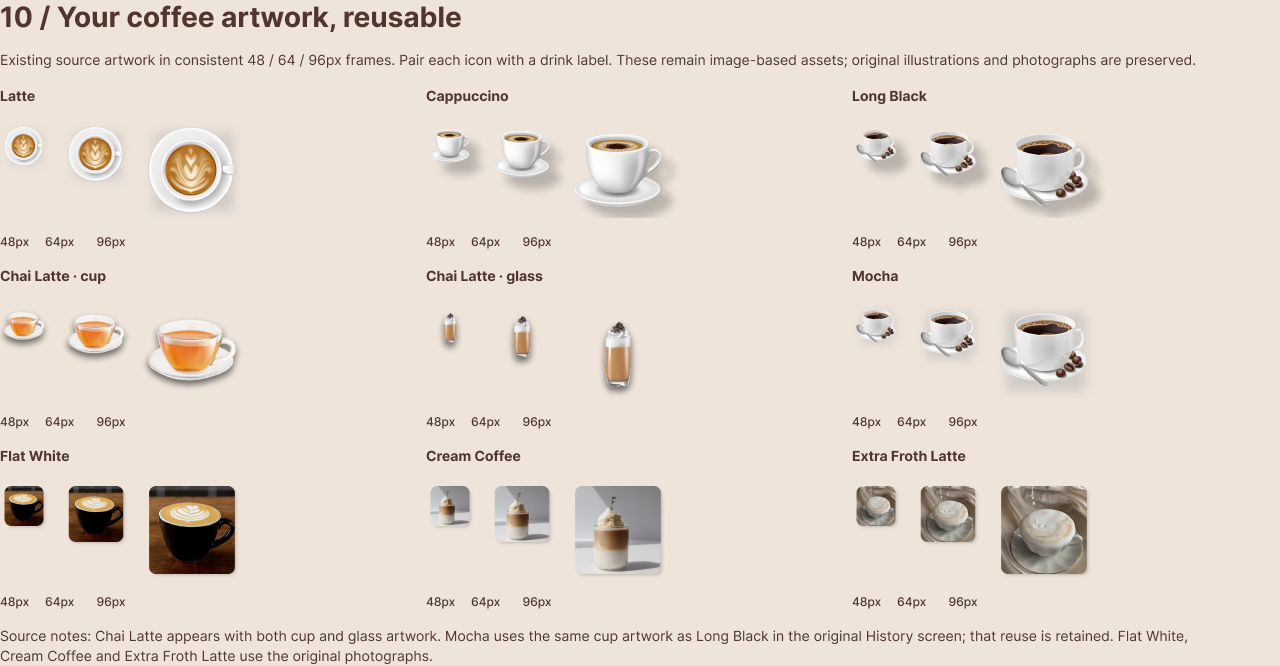
SOURCE ARTWORK
Reusable coffee artwork
Open full-size screen

View original pickup designs
The original artwork is preserved. “Delivery Status” is the historical title of the pickup-progress mockup.
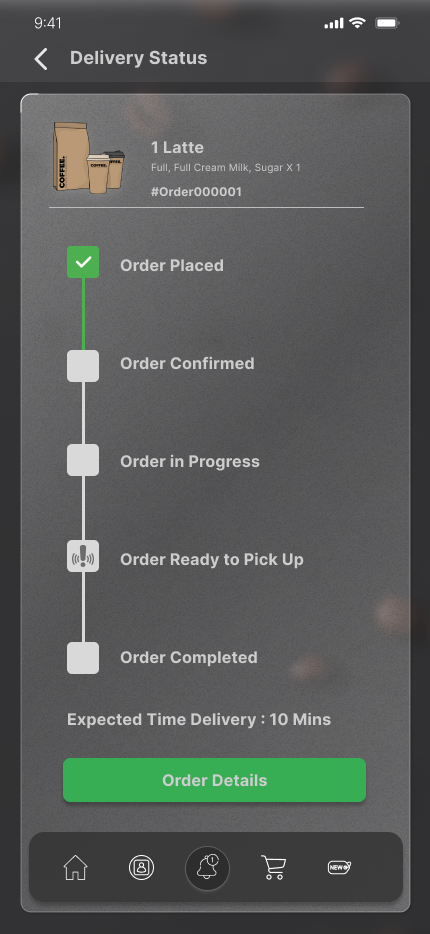
ORIGINAL EMPLOYEE INTERFACE
Original pickup timeline
Open full-size screen
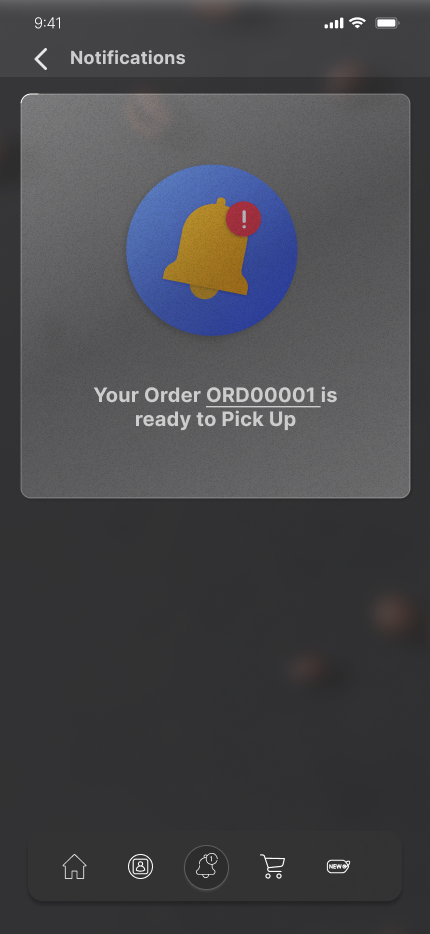
ORIGINAL EMPLOYEE INTERFACE
Original ready notification
Open full-size screen
Talk through the employee journey.
Ordering details, pickup clarity and the choices between them.